
CBSE Board Result 2025 via Umang App for Class 10 and 12
Upcoming Event
CBSE Class 12th Exam Date:17 Feb' 26 - 17 Feb' 26
Central Board of Secondary Education (CBSE) will announce the CBSE Class 10 and 12 UMANG results 2025 in the second week of May 2025. In addition to the official CBSE website, students can check their Class 10 and 12 results through the UMANG app. They must enter their mobile and MPIN numbers to log in with their CBSE result window. Once the CBSE results are announced, students can also check CBSE results via DigiLocker, SMS, and the official website along with the UMANG app.
This Story also Contains
- CBSE Board Result 2025 via Umang App for Class 10 and 12
- How to Create a UMANG Account to Check CBSE Results 2025?
- How to Check CBSE Result 2025 via UMANG App?
- What is UMANG?
The CBSE 10th exams will be held from February 15 to March 18, 2025, and CBSE 12th Board exams 2025 will be conducted from February 15 to April 4, 2024. The CBSE results of these exams via the Unified Mobile Application for New-Age Governance (Umang app) are expected to be released in May 2025.
CBSE Board Result 2025 via Umang App for Class 10 and 12
This user-friendly mobile application, developed by the Ministry of Electronics & IT, is accessible on both Android and iOS platforms. By using the UMANG app, students can easily access their CBSE results and other important information.
CBSE Board Result 2025 via Umang App Dates
Event | Dates |
|---|---|
February 15 to March 2025 | |
February 15 to April 2025 | |
CBSE result via umang app date 2025 Class 10 | May 2025 |
CBSE result Class 12 via umang app date 2025 | May 2025 |
CBSE 10th revaluation result date | June 2025 |
CBSE 12th revaluation result date | June 2025 |
August 2025 | |
August 2025 |
How to Create a UMANG Account to Check CBSE Results 2025?
Once students have downloaded the UMANG app from the Google Play Store or Apple App Store, they will need to register an account. To do so, open the app, tap "Register," and provide their mobile number and Aadhaar details. They will then need to create a 4-digit MPIN and set a username and password. After completing these steps, students will be able to use their UMANG account to access their CBSE Class 10 and 12 results, as well as other government services.
How to Check CBSE Result 2025 via UMANG App?
Once the CBSE announces the 2025 board exam results for Classes 10 and 12, students can easily access their scores through the UMANG app. Students can download the app from the App Store or Google Play, or visit the official website. Check the steps below to check the CBSE result via umang app.
Steps to check CBSE Class 10 Result on Umang App
Access UMANG: Download the UMANG app from the Google Play Store or Apple App Store, or visit the official UMANG website.
Login: Create an account or log in using the mobile number.
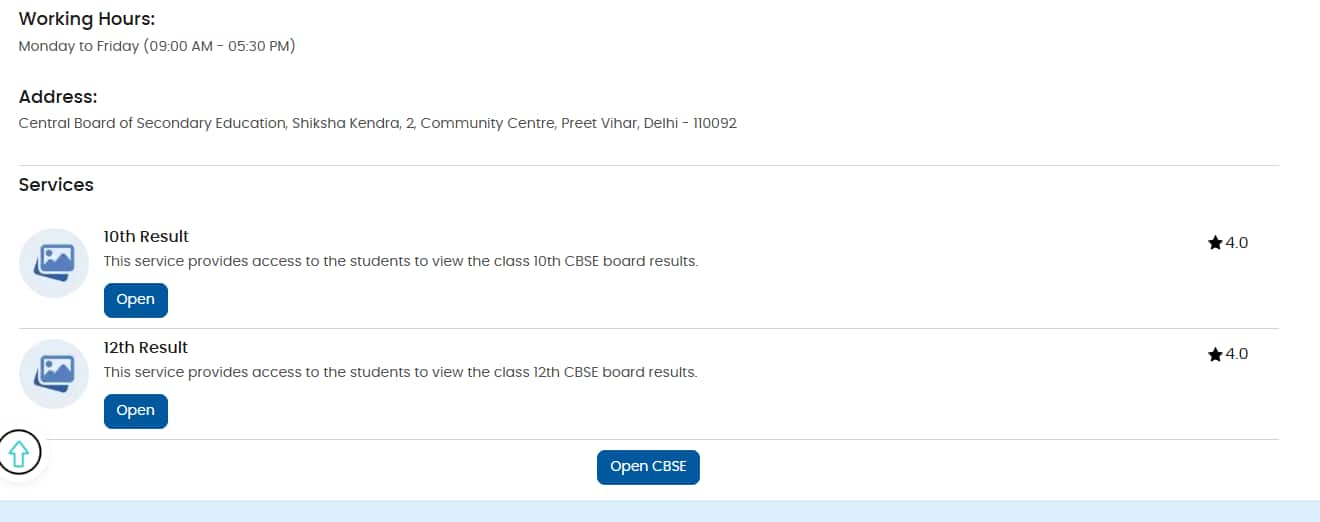
Find CBSE Services: Search for "CBSE" in the app or on the website.
Enter Details: Provide the CBSE 10th admit card details, including roll number and date of birth.
View and Download: CBSE Class 10 results will be displayed on the screen once verified. Students can download the CBSE 10 marksheet for future reference.
Steps to check CBSE Class 12 Result on Umang App
Install the UMANG App: Download the UMANG app from the Google Play Store or Apple App Store.
Register or Login: Register or log in to the Umang app using a mobile number.
CBSE 12 Class Free Mock Test
Boost your exam preparation with our CBSE 12 Class Free Mock Test, designed as per the latest exam pattern.
Attempt Now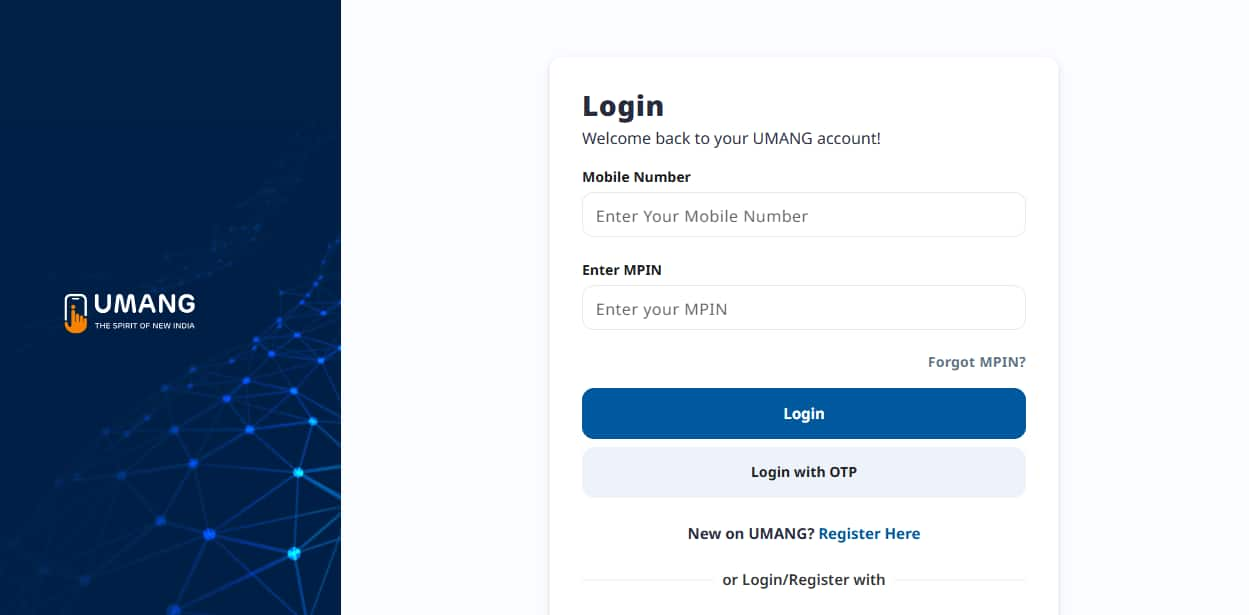
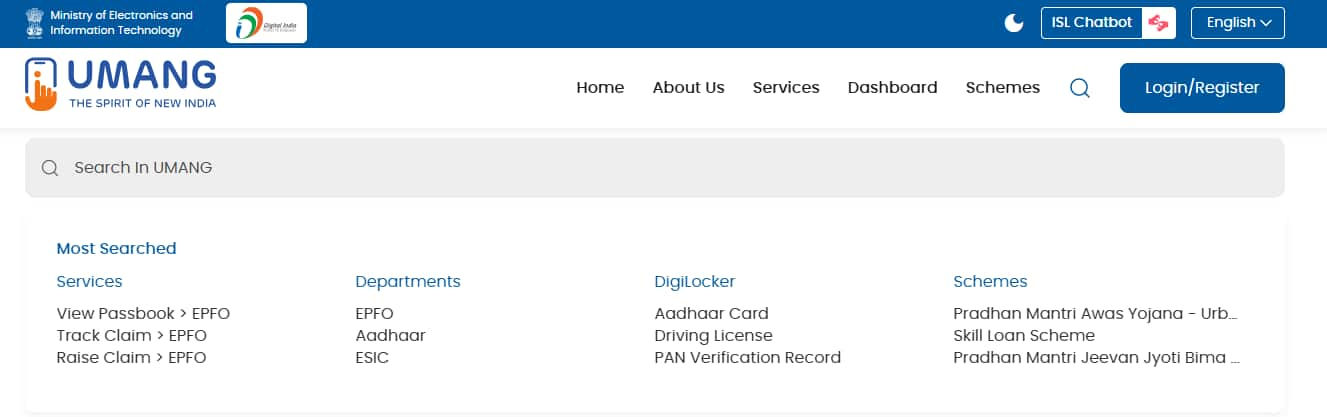
Search for CBSE: Use the search bar to find the CBSE services.
Select the Class: Choose ‘CBSE Class 12 results’ to check the result.
Enter Details: Provide the roll number, date of birth, and other required information.
View CBSE Result: Students' CBSE 12 results will be displayed on the screen. They can also download their CBSE 12th marksheet for future reference.
What is UMANG?
Developed by the Ministry of Electronics & IT, UMANG (Unified Mobile Application for New-Age Governance) is a one-stop shop for accessing various government services, including the CBSE Class 10, 12 results. Students can download the UMANG app for free on Google Play Store (Android), App Store (iOS). While UMANG offers an easy option, they can also check their CBSE 10th, 12th results on the official CBSE website (www.umang.gov.in).
Benefits of Using UMANG:
Convenience: View CBSE 10th, 12th results anytime, anywhere on the smartphone.
Accessibility: The Umang app is available on multiple platforms and works on various devices.
Multipurpose: Students can access the Class 10, 12 results using the UMANG app They can also access other government services as well.
Digilocker Integration: Access CBSE marksheets and other digital academic documents stored in Digilocker directly through UMANG.
CBSE Class 12th Syllabus: Subjects & Chapters
Select your preferred subject to view the chapters
Frequently Asked Questions (FAQs)
Q: How can I check my CBSE result today?
A:
After the CBSE result is released, students can check it on different platforms such as the official website, digiLocker, Umang app, and SMS. Students can choose the option which is best suited for them.
Q: How to check the 12th CBSE result 2025?
A:
CBSE is expected to release the Class 12 results for 2025 in May 2025. Once the CBSE results are out, students can access their scores using their roll number and admit card number
Q: How to check CBSE result without admit card ID 2025?
A:
Students will need their an admit card to access their CBSE Class 12 results online. If they have lost their admit card, they should contact their school authorities to obtain a duplicate copy. Also, students can inquire about their CBSE 10, 12 results directly from their school.
Articles
Related Stories
|
Upcoming School Exams

Certifications By Top Providers
Explore Top Universities Across Globe
Questions related to CBSE Class 12th
On Question asked by student community
Have a question related to CBSE Class 12th ?
Hello,
Since you have passed 10th and 12th from Delhi and your residency is Delhi, but your domicile is UP, here’s how NEET counselling works:
1. Counselling Eligibility: For UP NEET counselling, your UP domicile makes you eligible, regardless of where your schooling was. You can participate in UP state
Hello,
You can access Free CBSE Mock tests from Careers360 app or website. You can get the mock test from this link : CBSE Class 12th Free Mock Tests
Hope it helps !
Yes, it is possible for a student who has done their 12th grade already to take upto 4 exams of their requirement. This is possible through the NIOS, NATIONAL INSTITUTE OF OPEN SCHOOLING. Get more info about the exam and the board through the following link.
For CBSE the PREVIOUS YEARS PAPERS can be accessed through the following link for the Concerned subjec by careers360.
Consequently Careers360 does also have a chapter wise scheme of PYQs, you can access the STUDY MATERIAL (PYQs.) from the following link -
https://school.careers360.com/boards/cbse/cbse-question-bank
Thankyou.
Hello,
Sorry, but JoSAA does not accept marks from two different boards for the same qualification during counselling. However, you can use your NIOS marks to meet the JEE Main/Advanced eligibility criteria if they are better than your CBSE marks. You can use your NIOS marks for the eligibility check,

Applications for Admissions are open.
This ebook serves as a valuable study guide for NEET 2025 exam.
NEET Previous 10 Year Questions
Get nowThis e-book offers NEET PYQ and serves as an indispensable NEET study material.
JEE Main Important Physics formulas
Get nowAs per latest syllabus. Physics formulas, equations, & laws of class 11 & 12th chapters
JEE Main Important Chemistry formulas
Get nowAs per latest syllabus. Chemistry formulas, equations, & laws of class 11 & 12th chapters
JEE Main high scoring chapters and topics
Get nowAs per latest 2024 syllabus. Study 40% syllabus and score upto 100% marks in JEE
JEE Main Important Mathematics Formulas
Get nowAs per latest syllabus. Maths formulas, equations, & theorems of class 11 & 12th chapters
CBSE Class 12th Notifications
Never miss CBSE Class 12th update
Get timely CBSE Class 12th updates directly to your inbox. Stay informed!